Side panel
Opens next to ChatGPT, Claude, and Gemini, so your library is always one click away.
Chrome extension for ChatGPT, Claude, and Gemini
In one side panel. Private and local.
Free to start. Works in Chrome 116 and newer.
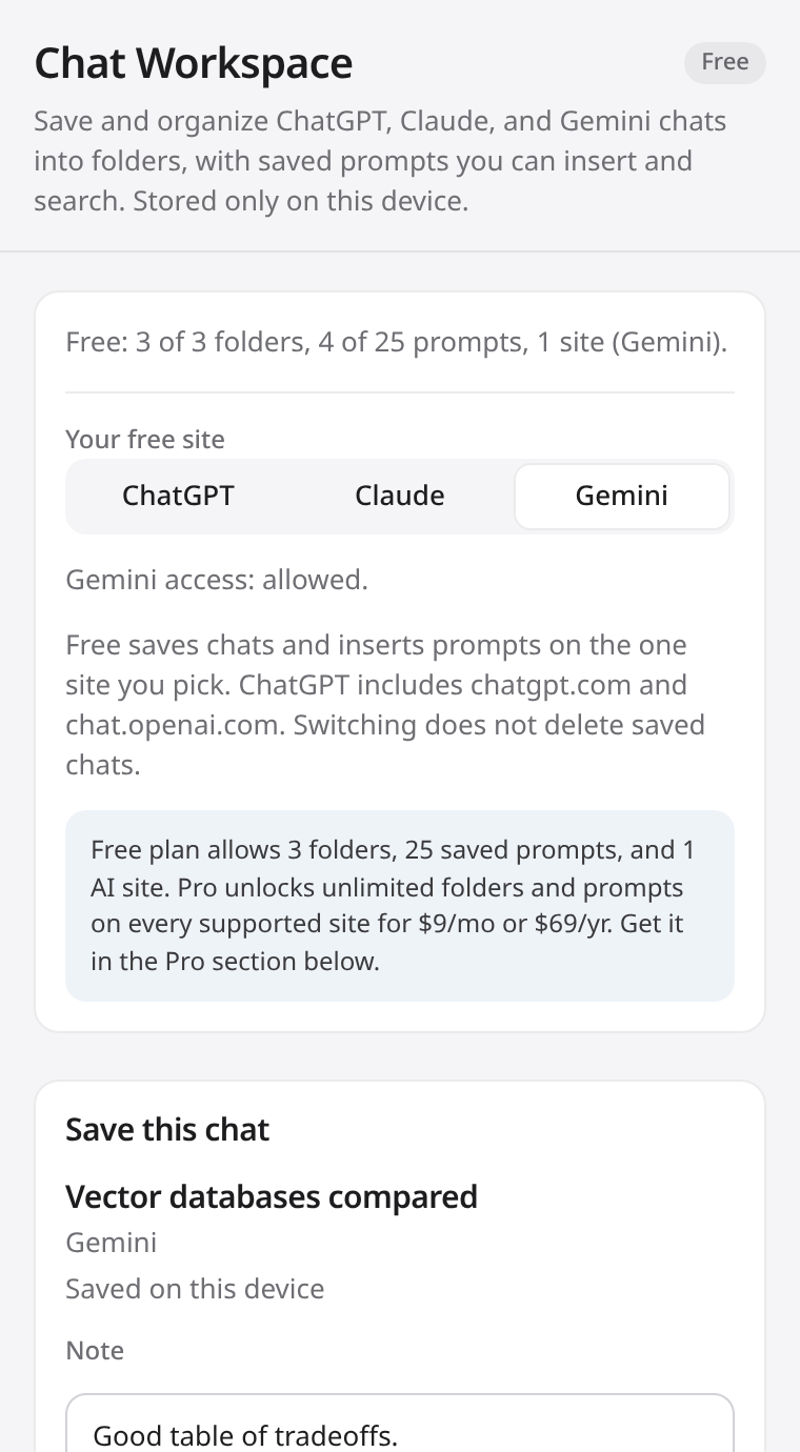
Opens next to ChatGPT, Claude, and Gemini, so your library is always one click away.
Save the chat you are on with a note of up to 2,000 characters.
Group saved chats into folders up to 3 levels deep, drag to organize, and star the ones you open most.
Keep prompts you reuse, with tags to find them fast.
Put a saved prompt into the chat box with one click. It never sends for you, so you review it first.
Search across chat titles, notes, and URLs, plus your prompts and tags.
Back up or move your library as a JSON file, or export a readable Markdown copy.
Works with the keyboard and screen readers.
A Manifest V3 extension for current Chrome.
$0
$3 / month
or $29 a year, or $49 once for lifetime access (one-time payment).
Get Pro $3/mo Get Pro $29/yr Get Pro Lifetime $49
You can also buy from the Pro section of the side panel. Your license key arrives by email. Paste it in the Pro section and press Activate.
Read the full privacy policy.
On your device, in Chrome's local extension storage. Nothing you save is sent to a Chat Workspace server. The only network call is the Pro license check with Lemon Squeezy.
Free gives you 3 folders, 25 prompts, and 1 site (ChatGPT, Claude, or Gemini). Nested folders, Insert, and Markdown export are included. Pro removes the folder and prompt limits and works on all three sites, for $3/mo, $29/yr, or $49 once for lifetime (one-time payment).
Payments and refunds are handled through Lemon Squeezy, our merchant of record. To ask for a refund, email jadenwoofter@gmail.com with your order email. You can cancel a subscription at any time from your Lemon Squeezy receipt.
ChatGPT (chatgpt.com and chat.openai.com), Claude (claude.ai), and Gemini (gemini.google.com). Gemini is optional: Chrome asks for Gemini access only when you choose Gemini in the panel.
No. Insert places the prompt in the chat box of the open tab. You read it and press Send yourself. If a site changes its layout and Insert cannot find the chat box, copy the prompt from the panel instead.
Questions: jadenwoofter@gmail.com